
Build a Pixelboard
Create a shared pixel canvas with anonymous sign-in, persistent colors, and live updates using Volcano.
What it does
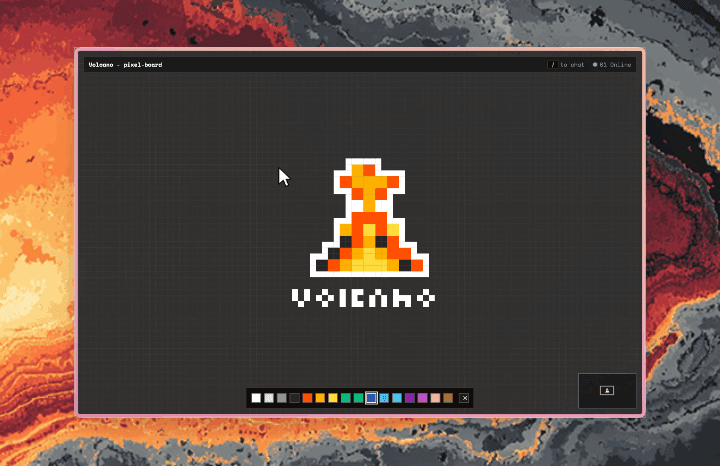
Paint a shared 400×240 canvas and watch other people draw, move their cursors, and chat live.
This is the Pixel canvas onboarding template (pixel-board): PostgreSQL stores colors; realtime carries live interactions.
What you need
A Volcano account; no third-party services. For the code paths below, install Node.js 24+, the Volcano CLI, and, for your agent, the Volcano skills.
Build it with your coding agent
Paste this into Claude Code, Cursor, or Codex with Volcano skills installed:
Build Pixelboard using Next.js and Volcano Auth, Database, and Realtime.
Use a 400×240 zoomable, pannable canvas, a 16-color palette, an eraser,
and a minimap. Support mouse and touch.
Restore the session or sign in anonymously; no registration form.
Pre-seed a pixels table keyed by (x,y), default color #2A2A2A, with
updated_by and updated_at. Enable RLS; authenticated visitors can read
and update colors, but cannot insert or delete cells.
Persist each paint before broadcasting pixel coordinates on place-live.
Read the current database row on pixel events and after writes; never trust
broadcast colors. Serialize reads, including reconnect snapshots.
Use that broadcast channel for cursors (6-second expiry) and chat bubbles
(60 characters, 5-second expiry; / to chat, Enter to finish).
Use place-lobby presence for the online count. Validate incoming events.
Enable anonymous sign-ins, broadcast/presence, and the needed key permissions.
Wait for subscription readiness before each snapshot, including on reconnect,
even when a snapshot is already loading. Constrain saved colors to hex RGB.
Handle failed writes, token refresh, loading/errors, and unmount cleanup.
Create the app in a new folder with web/ and volcano/migrations/.
Include the manifest and deployment commands; test in two browsers.
Ask before creating cloud resources or deploying.
For the one-click path, choose Pixel canvas when creating a project in the dashboard.
The CLI also supports volcano projects create my-pixels --template pixel-board.
Use the project ID printed by that command in volcano projects get <project-id>; wait for template status ready.
Build it yourself
Create a Next.js app in web/ and install @volcano.dev/sdk there; it includes the realtime dependencies.
Wire these core excerpts into its client canvas, palette, and error display; they are not complete UI files.
Save each SQL statement separately, in order, as 001.sql through 008.sql under volcano/migrations/:
CREATE TABLE public.pixels (
  x integer NOT NULL, y integer NOT NULL,
  color text NOT NULL DEFAULT '#2A2A2A'
    CHECK (color ~ '^#[0-9A-Fa-f]{6}$'),
  updated_by uuid, updated_at timestamptz NOT NULL DEFAULT now(),
  PRIMARY KEY (x,y)
);
ALTER TABLE public.pixels ENABLE ROW LEVEL SECURITY;
REVOKE ALL ON public.pixels FROM PUBLIC,anon,authenticated;
GRANT SELECT ON public.pixels TO authenticated;
GRANT UPDATE(color,updated_by,updated_at) ON public.pixels TO authenticated;
CREATE POLICY pixels_read ON public.pixels FOR SELECT
  TO authenticated USING (true);
CREATE POLICY pixels_paint ON public.pixels FOR UPDATE
  TO authenticated USING (auth.uid() IS NOT NULL)
  WITH CHECK (updated_by = auth.uid());
INSERT INTO public.pixels(x,y)
SELECT x,y FROM generate_series(0,399) x, generate_series(0,239) y;
Initialize one browser client inside an async setup function, before enabling painting:
import { VolcanoClient } from '@volcano.dev/sdk';
import { VolcanoRealtime } from '@volcano.dev/sdk/realtime';

const apiUrl = process.env.NEXT_PUBLIC_VOLCANO_API_URL;
const anonKey = process.env.NEXT_PUBLIC_VOLCANO_ANON_KEY;
const volcano = new VolcanoClient({ apiUrl, anonKey });
volcano.database(process.env.NEXT_PUBLIC_VOLCANO_DATABASE);
const restored = await volcano.initialize();
if (restored.error) throw restored.error;
if (!restored.user) {
  const { error } = await volcano.auth.signInAnonymously();
  if (error) throw error;
}
Call async setup from a client effect, catch its errors in your error display, and return synchronous cleanup from the effect.
Register listeners before subscribing.
drawPixel(x,y,color) updates your canvas; showError(error) displays a visible error.
Queue database reads so snapshots and pixel refreshes cannot overwrite one another out of order.
On unmount, call live.unsubscribe() and realtime.disconnect(); guard async setup and drawing after unmount.
let reads = Promise.resolve();
function queueRead(read) {
  const result = reads.then(read);
  reads = result.catch(() => {}); // One failed read must not block later reads.
  return result;
}
function loadGrid() {
  return queueRead(async () => {
    for (let offset = 0; ; offset += 1000) {
      const { data, error } = await volcano.from('pixels').select('x,y,color')
        .order('x').order('y').limit(1000).offset(offset);
      if (error) throw error;
      for (const p of data ?? []) drawPixel(p.x, p.y, p.color);
      if ((data?.length ?? 0) < 1000) break;
    }
  });
}
function refreshPixel(x, y) {
  return queueRead(async () => {
    const { data, error } = await volcano.from('pixels').select('x,y,color')
      .eq('x', x).eq('y', y).limit(1);
    if (error) throw error;
    if (data?.[0]) drawPixel(data[0].x, data[0].y, data[0].color);
  });
}
const realtime = new VolcanoRealtime({ apiUrl, anonKey,
  accessToken: volcano.accessToken,
  async getToken() {
    const { session, error } = await volcano.auth.refreshSession();
    if (error || !session) throw error || new Error('Session expired');
    return session.access_token;
  },
});
const live = realtime.channel('place-live', { type: 'broadcast' });
live.on('pixel', (pixel) => {
  if (!pixel || typeof pixel !== 'object') return;
  const { x, y } = pixel;
  if (Number.isInteger(x) && x >= 0 && x < 400 &&
      Number.isInteger(y) && y >= 0 && y < 240) {
    void refreshPixel(x, y).catch(showError);
  }
});
let subscribed = false;
realtime.onConnect(() => {
  if (subscribed) void live.subscribe().then(loadGrid).catch(showError);
});
await realtime.connect();
await live.subscribe();
subscribed = true;
await loadGrid();

async function paint(x, y, color) {
  const { error } = await volcano.update('pixels', {
    color, updated_by: volcano.auth.user().id,
    updated_at: new Date().toISOString(),
  }).eq('x', x).eq('y', y);
  if (error) throw error;
  await Promise.all([
    refreshPixel(x, y),
    live.send({ event: 'pixel', x, y }).catch(() => {
      showError(new Error('Pixel saved; live update failed. Reload to sync.'));
    }),
  ]);
}
Save volcano/volcano-config.yaml:
version: 1
realtime:
  enabled: true
  broadcast_enabled: true
  presence_enabled: true
auth:
  signup:
    enable_signup: true
    enable_anonymous_signins: true
  cors:
    enabled: true
    allowed_origins:
      - http://localhost:3000
Create a fresh project and database; replace my-pixels everywhere with an unused name:
volcano login
volcano projects create my-pixels
volcano use my-pixels
volcano cloud databases create pixel_board
volcano cloud databases get pixel_board
Wait for database status active.
In the dashboard's anonymous keys page, select my-pixels, click Create Key, and name it Pixelboard.
Keep the default Auth permissions and select Realtime → Connect, Subscribe, Publish, then click Create Key and copy its value.
This dashboard path needs no platform token or manually supplied project ID.
Set these in volcano/cloud.env and web/.env.local:
NEXT_PUBLIC_VOLCANO_API_URL=https://api.volcano.dev
NEXT_PUBLIC_VOLCANO_ANON_KEY=ak-your-project-key
NEXT_PUBLIC_VOLCANO_DATABASE=pixel_board
Replace the key; add volcano/*.env and web/.env* to the root .gitignore before deployment.
From the project root, run in order:
volcano cloud databases migration up --all --database pixel_board
volcano cloud config deploy --file volcano/volcano-config.yaml
volcano cloud variables deploy --file volcano/cloud.env
volcano cloud frontends deploy --name web --path . --app-root web \
  --variable-scope scoped --variable NEXT_PUBLIC_VOLCANO_API_URL \
  --variable NEXT_PUBLIC_VOLCANO_ANON_KEY --variable NEXT_PUBLIC_VOLCANO_DATABASE
volcano cloud frontends get web
Add the frontend's exact HTTPS origin to auth.cors.allowed_origins in the manifest, then rerun volcano cloud config deploy --file volcano/volcano-config.yaml.
See CORS configuration; include a different localhost origin if your dev server uses another port.
These initial migrations target an empty database; do not rerun them on an installed template.
Check that it works
Open the app in two browser profiles. Paint in one; confirm the other updates without reloading. Reload both to confirm persistence; reconnect one during a slow grid load and verify it catches up. Paint the same cell concurrently with delayed responses; both canvases must settle on its saved color. For agent or template builds, also move a cursor and send a chat bubble; both should appear remotely and expire. The manual excerpts cover pixel persistence and live painting; cursor, chat, and presence UI are left to implement.
Why it's built this way
Pre-seeding makes painting an UPDATE, avoiding insert races. PostgreSQL is authoritative; pixel broadcasts carry coordinates, never trusted colors. Queued reads avoid stale responses and dropped reconnects, at the cost of a query per pixel notification. Cursors and chat remain ephemeral; batch pixel reads for larger audiences. This open canvas has no painting cooldown or moderation; add those before running a public community.